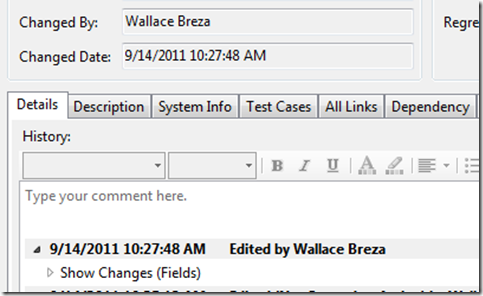
By default TFS always displays the System.ChangedBy field as the current user. I am Jon Gallant and Wallace Breza is a dev on my team. As you can see he was the last to change the bug, but my name is in the System.ChangedBy field.
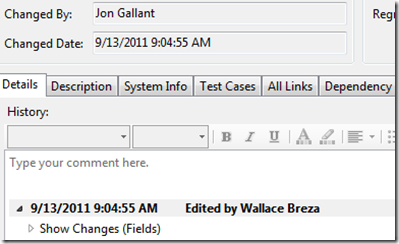
This is happening because the work item is put into Edit mode when it is opened and that includes setting the System.ChangedBy field to currentuser. I talked with the TFS Work Item here and they have logged a bug.
Here’s the workaround I’m using.
-
Install the TFS Power Tools.
-
Open the Work Item Template from Tools –> Process Editor –>Work Item Types –> Open WIT from Server

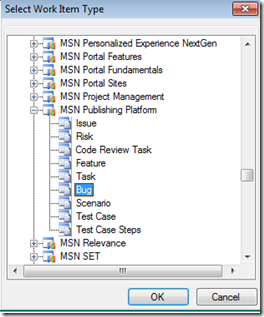
- Select the Work Item Type you want to update
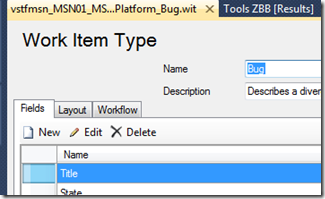
- In the Fields tab click New
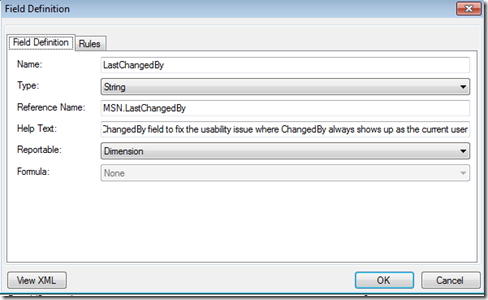
- Enter the following information:
Name: LastChangedBy
Type: String
Reference Name: YourOwnNamespace.LastChangedBy
Help Text: Whatever you want to put in here
Reportable: Dimension
-
Click the Rules tab
-
Click the New button:
-
Select COPY. Click OK
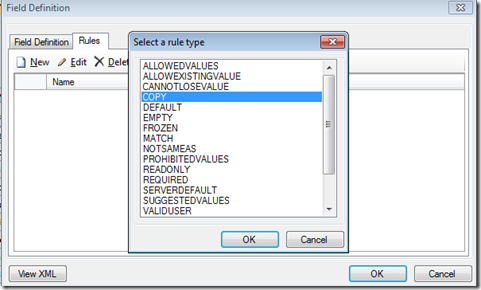
- Set the following values:
From: field
Field: System.ChangedBy
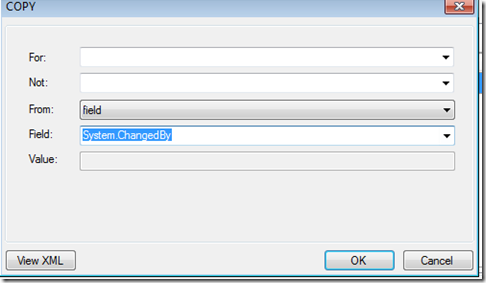
-
Click OK
-
Click the Layout tab
-
Click on the Changed By field in your Layout tree.
-
Over in the details pane to the right, change the “Field Name” property to YourOwnNamespace.LastChangedBy.
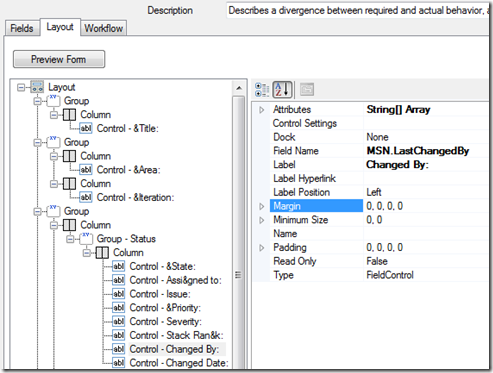
-
Save the WIT.
-
Click the Refresh button in Team Explorer
-
Close all your open documents, bugs, queries, etc. There is a local cache that won’t reflect the changes unless you close and reopen.
-
Open up a bug and see that Changed By now equals the last person that changed the bug.
Hope this helps,
Jon