Not sure why, but Intellisense wasn’t working by default when I first installed Visual Studio 2012.
You need to reset your IDE settings.
1. Tools –> Import and Export Settings….
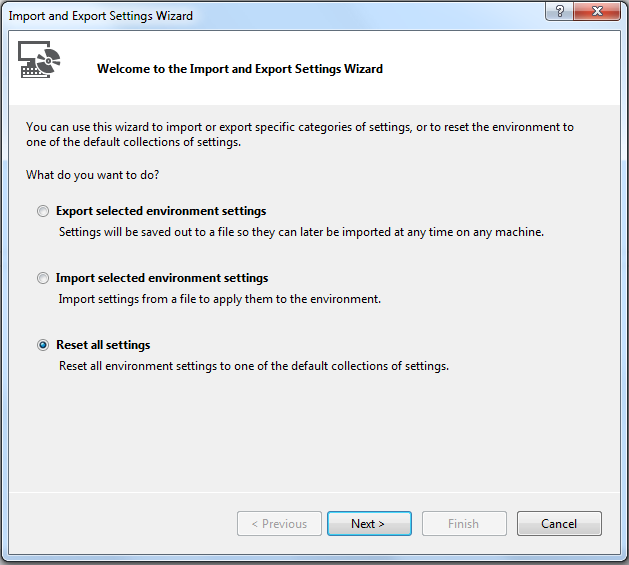
2. Select Reset all Settings
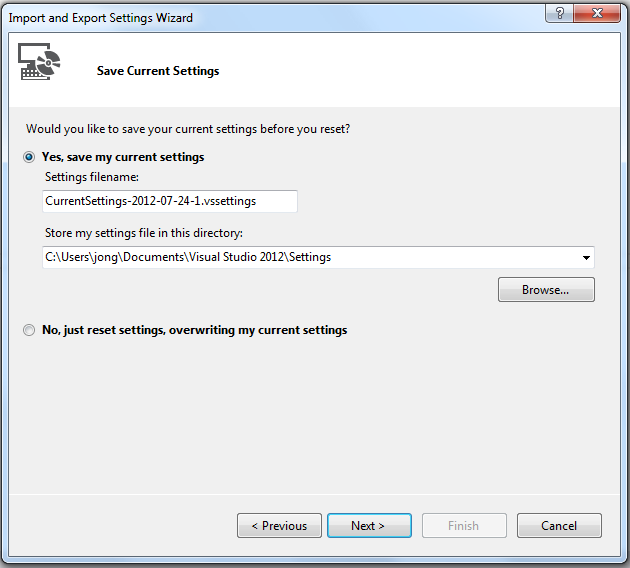
3. Backup current settings if you want to:
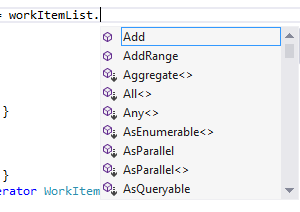
4. Viola. Intellisense now works.
Jon