Git Stash
Temporarily shelve changes with the stash panel. Save work-in-progress, switch context, and restore changes later — all without leaving grüt.
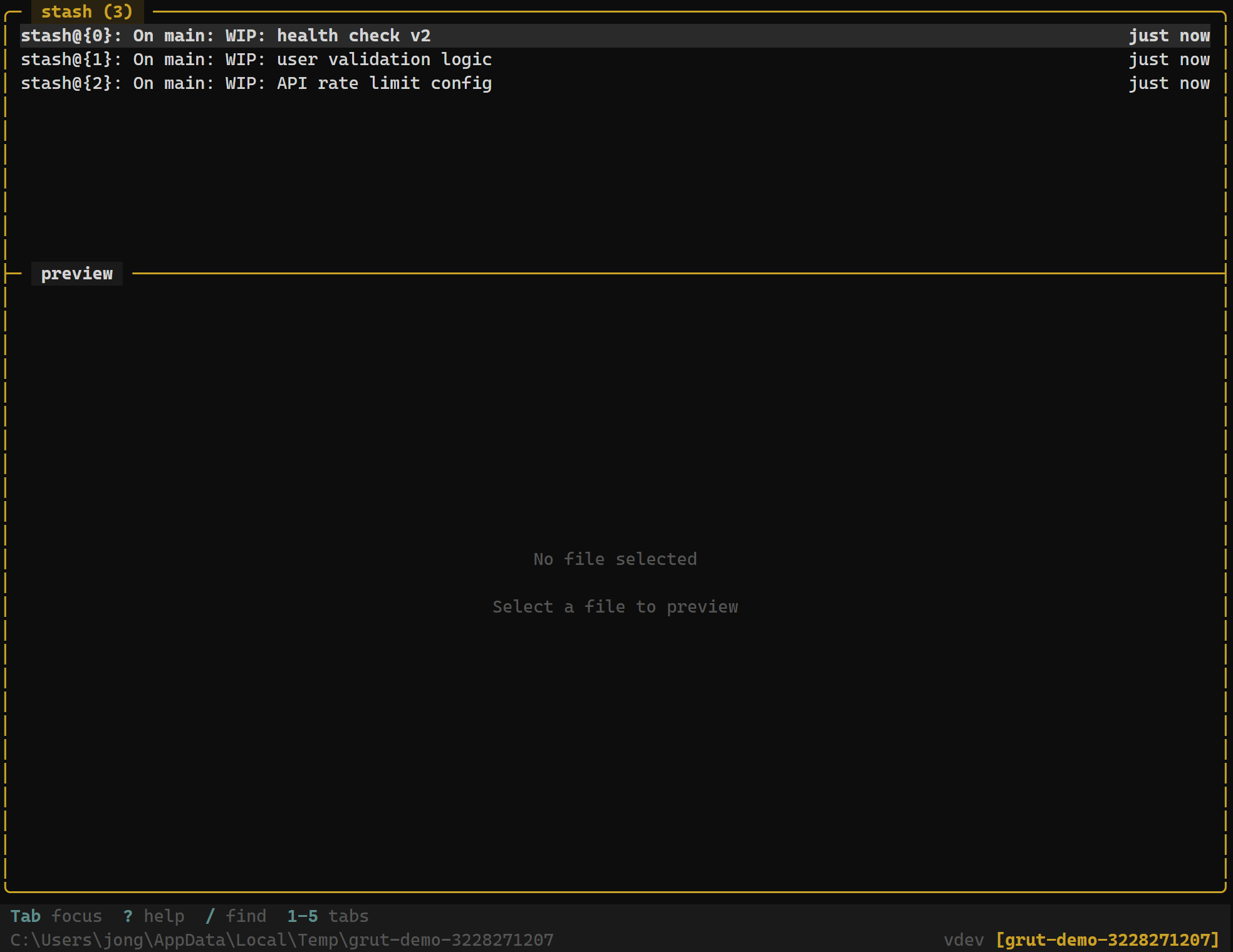
The Stash Panel
The stash panel lists every stash entry in the repository, ordered by most recent first. Each entry displays:
- Index — the stash reference number (e.g.,
stash@{0}) - Message — the description you provided when creating the stash
- Timestamp — when the stash was created
Navigate stash entries with j / k and preview the stashed diff in the adjacent preview pane.
Keybindings
Stash Panel
| Key | Action |
|---|---|
| n / s | Push new stash — prompts for a message |
| a / Enter | Apply selected stash (keep stash in list) |
| p | Pop selected stash (apply and remove from list) |
| x | Drop selected stash (delete without applying) |
| D | Drop all stash entries (with confirmation) |
| v | Preview stash diff |
| y | Copy stash reference to clipboard |
Creating a Stash
To stash your current changes:
- Switch to the stash panel.
- Press
sto push a new stash. - Type a descriptive message in the prompt (e.g.,
WIP: auth refactor). - Press
Enterto confirm.
grüt stashes both staged and unstaged changes, returning your working tree to a clean state. Untracked files are not included by default — stage them first if you want them stashed.
Applying vs. Popping
There are two ways to restore stashed changes:
- Apply (
aorEnter) — restores the changes but keeps the stash entry in the list. Useful when you want to apply the same stash to multiple branches. - Pop (
p) — restores the changes and removes the stash entry. This is the most common operation — use it when you're done with the stash.
Dropping a Stash
Press x on any stash entry to delete it permanently. grüt asks for confirmation before dropping to prevent accidental data loss.
Typical Workflow
# You're working on feature-x, but need to fix a bug on main
# 1. Stash your current changes
#    → press s in stash panel, type "WIP: feature-x progress", Enter

# 2. Switch to main, fix the bug, commit

# 3. Switch back to feature-x
# 4. Pop the stash
#    → press p on stash@{0}

# Your work-in-progress is restored exactly as you left it.