Git Worktrees
grüt is worktree-first — designed from the ground up for developers who use multiple working directories. Create, switch, and manage worktrees without leaving the TUI.
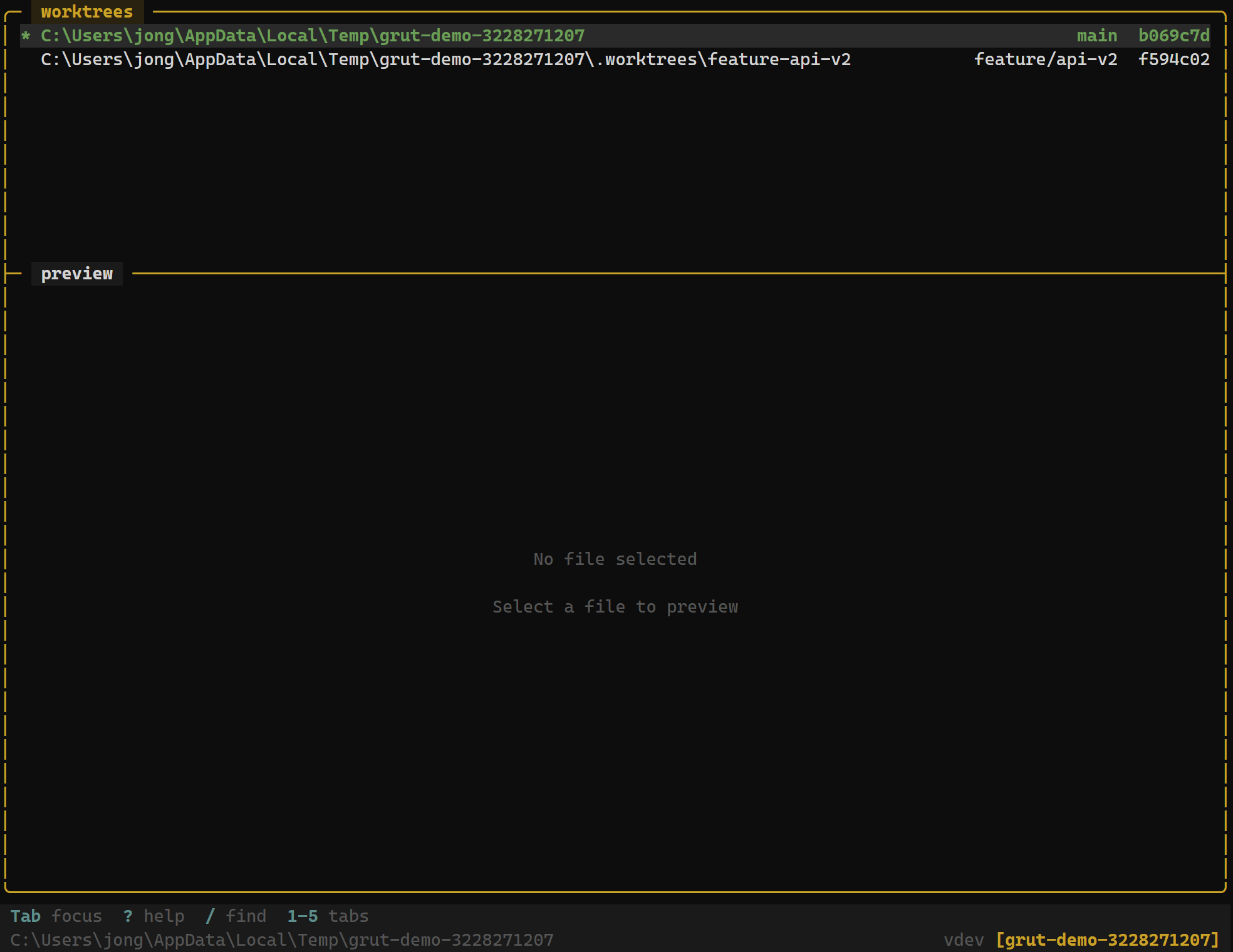
What Are Worktrees?
Git worktrees let you check out multiple branches simultaneously in separate directories, all backed by the same repository. Instead of stashing changes and switching branches, you open a new worktree and work in parallel.
grüt makes worktrees a first-class citizen. The worktree panel shows every linked worktree, and switching between them is instant.
Configuration
Enable worktree-first navigation in your grut.toml:
[git]
worktree_first = true
With worktree_first = true, branch operations default to creating new worktrees rather than checking out branches in the current directory. This keeps your working tree clean and avoids interrupting in-progress work.
The Worktree Panel
The worktree panel lists all worktrees linked to the current repository. Each entry shows:
- Branch name — the branch checked out in that worktree
- Directory path — the filesystem location of the worktree
- Status — clean, modified, or conflict indicators
Keybindings
Worktree Panel
| Key | Action |
|---|---|
| n | Create new worktree — prompts for branch name and path |
| x | Remove selected worktree |
| Enter | Switch to selected worktree |
Creating a Worktree
Press n in the worktree panel. grüt prompts for:
- Branch name — an existing branch or a new branch to create.
- Directory path — where to place the worktree on disk.
After creation, grüt automatically navigates to the new worktree. The file tree, git status, and terminal all update to reflect the new working directory.
# Equivalent git command:
git worktree add ../feature-auth feature/auth
Switching Worktrees
Press Enter on any worktree entry to switch to it. grüt reloads the entire interface for the new worktree — file tree, status panel, commit log, and terminal all reflect the switched context.
Independent Environments
Each worktree operates as a fully independent environment within grüt:
- File tree — shows only the files in that worktree's directory
- Git status — tracks changes specific to that worktree's branch
- Terminal —
cwdis set to the worktree's directory - Commit log — shows the history of the checked-out branch
Removing a Worktree
Press x to remove the selected worktree. grüt runsgit worktree remove and cleans up the directory. You cannot remove the main worktree or a worktree with uncommitted changes — commit or stash first.